
GET CREDIT
- Attribution dashboard
Use Pipeline Attribution Dashboard
Your co-sell plays are running. Partner introductions are happening. Now the question leadership will ask is: what did any of that actually produce?
PartnerTap answers that question by automatically tracking attribution events, the specific moments when partnership activity happened on an account, and then monitoring those accounts for new opportunities created afterward. The Pipeline Attribution Dashboard brings all of that data into one place so you can show, not just claim, that your partner program is generating pipeline and revenue.
How attribution tracking works
Every time a measurable partnership action happens on an account, PartnerTap records it as an attribution event with a timestamp. From that point forward, the system monitors those accounts for new opportunities created in your CRM.
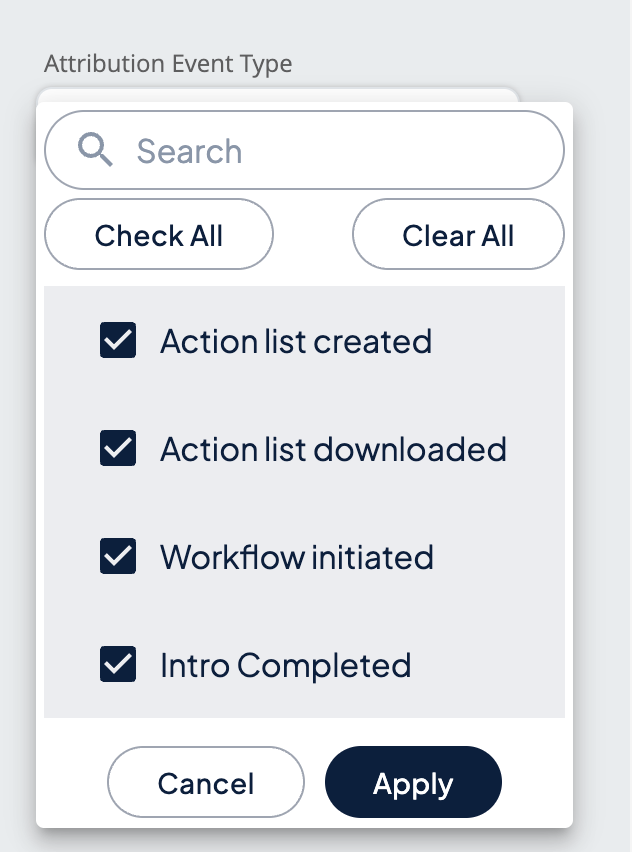
The four attribution event types PartnerTap tracks are:
- Action List Creation: The moment you saved a filtered account view as an Action List.
- Action List Download: The moment an Action List was downloaded as a CSV.
- Workflow Initiated: The moment a co-sell play was launched on an Action List.
- Workflow Completed: The moment a co-sell workflow sequence finished, meaning all steps in the opt-in and introduction sequence were completed.
Each event type represents a different strength of attribution signal. The Attribution Event Type filter lets you choose which events to include when measuring your results.
Note: Attribution events are not tracked for activity from a Global Ecosystem report (action lists or workflows) that includes more than five partners, to avoid excess noise in the data.
How to access Attribution reports
- Click Reports in the left sidebar.
- Click Attribution in the Reports sub-navigation.
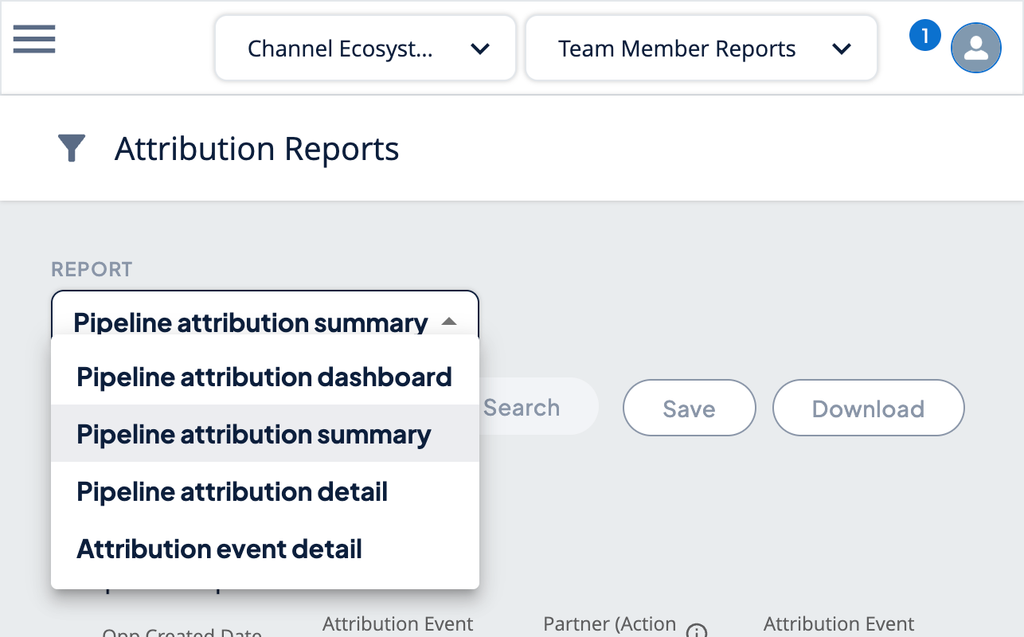
- Use the Report dropdown at the top of the page to switch between the four available reports.
Using the Pipeline Attribution Dashboard
The Pipeline Attribution Dashboard is the default view when you open Attribution reports. It shows a summary called PartnerTap Program Impact with four metrics calculated across your filtered dataset.
The four filters:
- Opp Created Date: Limits results to opportunities created within a specific date range.
- Attribution Event Date: Limits results to attribution events that occurred within a specific date range.
- Partners: Filter by one partner, multiple partners, or all partners.
- Attribution Event Type: Filter by one or more of the four event types above.
The four metrics:
- New Opportunities: Total number of opportunities created on accounts after an attribution event occurred.
- New Revenue: Total closed-won revenue from those new opportunities.
- New Pipeline: Total value of all new opportunities created after attribution events, including open and closed.
- Win Rate: Percentage of those new opportunities that are closed-won.
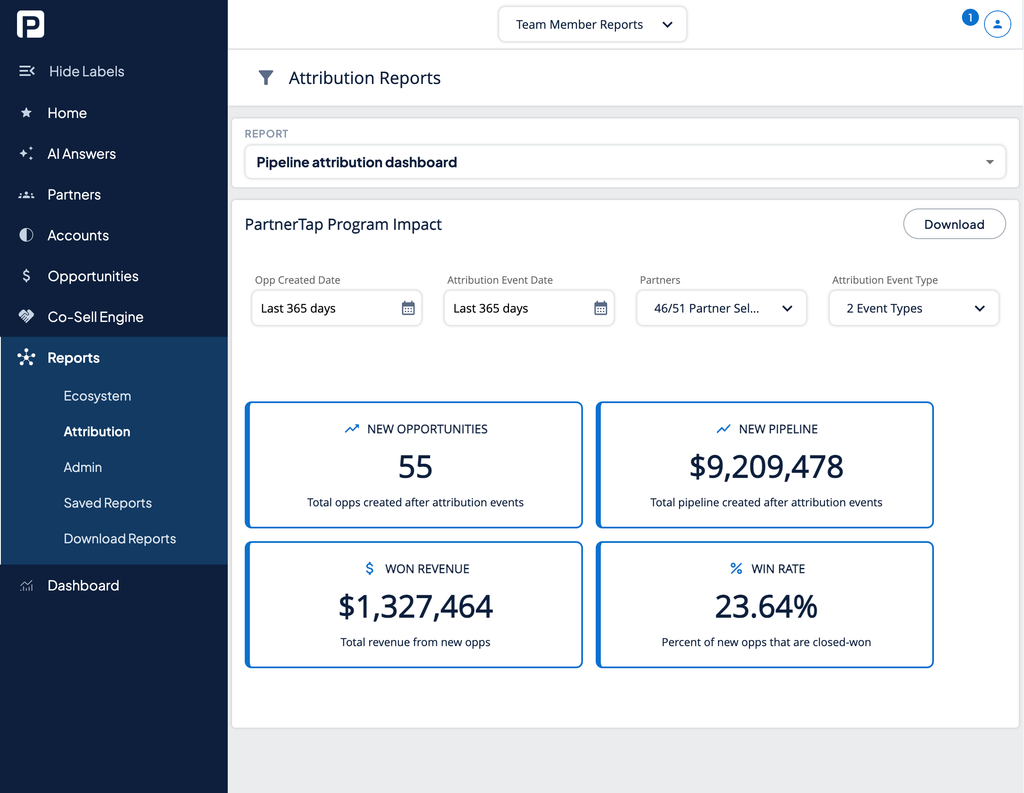
To download your results, click the Download button in the top right of the PartnerTap Program Impact panel.
Want to scale?
See the leading multi-partner co-selling platform.
Invited by a partner?
Sign up for a free PartnerTap account.